
Schema Markup Explained: What It Is, Why It Matters, and How to Use It
Schema markup helps search engines and AI systems understand your content. Learn where to use it,...
February 9, 2026
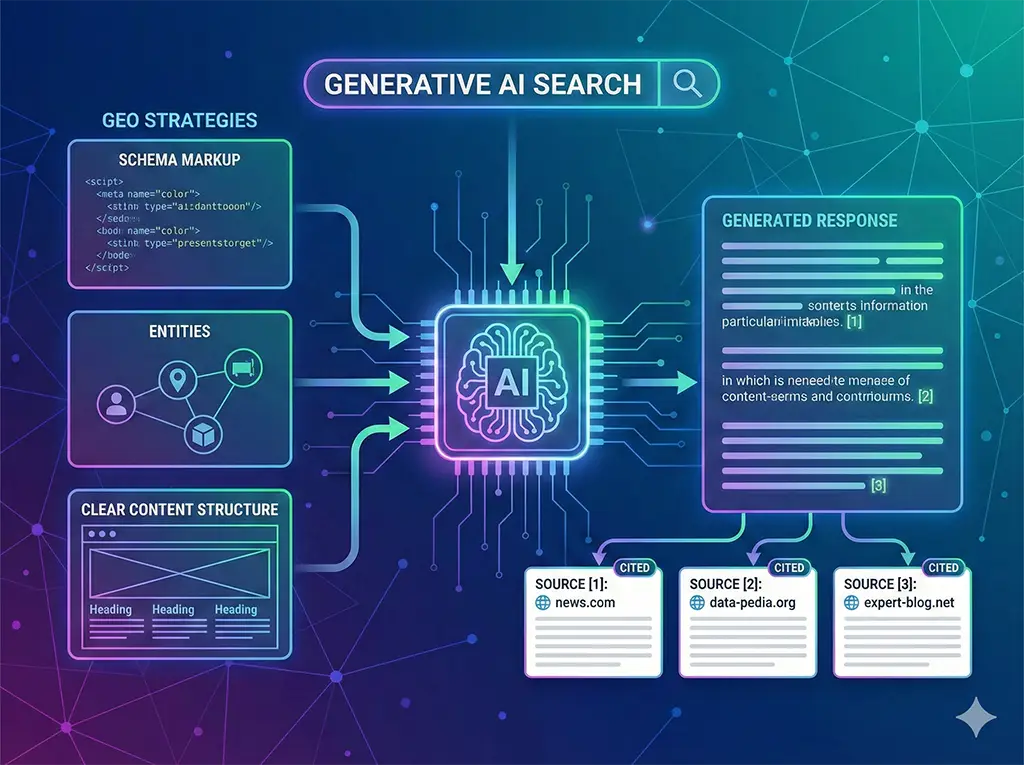
Structured data that tells search engines and AI systems what your content actually means — like a nutrition label for your website. Without it, AI systems have to guess. With it, you tell them.
Check Your Schema — FreeSchema markup is a standardised vocabulary (defined at schema.org) that you add to your website's code. It doesn't change how your pages look to visitors — it adds an invisible layer of structured information that machines can read.
The most common format is JSON-LD (JavaScript Object Notation for Linked Data), which sits in a <script> tag in your page's HTML. Google, Bing and AI systems all support JSON-LD.
Who You Are & Where You Are
The most fundamental schema type. Tells AI systems your business name, address, phone, website, logo and operating hours. Use LocalBusiness for physical locations.
Enables: "What is [your business]?" and "Where is [your business] located?"
What You Offer & At What Price
Describes what your business offers — service names, descriptions, pricing and delivery areas. Critical for service-based businesses.
Enables: "What services does [your business] offer?" and "How much does [service] cost?"
Physical & Digital Products
Name, description, price, availability and reviews for products. Enables rich product snippets in search results and accurate AI product recommendations.
Enables: Rich product cards and accurate pricing in AI answers.
Questions & Answers
Marks up frequently asked questions and their answers. One of the most impactful schema types for GEO because AI systems love Q&A content.
Enables: Answers appear in Google featured snippets and AI responses.
Editorial Content
Identifies content as articles or blog posts with headline, author, date and description. Essential for content marketing and AI attribution.
Enables: AI systems attribute information and reference your articles as sources.
Site Navigation Context
Describes the navigation path to a page (e.g. Home → Services → Schema). Helps search engines and AI systems understand your site structure and hierarchy.
Enables: Enhanced search snippets and better site structure understanding.
The most common issue. Many websites have zero structured data — completely invisible to AI systems.
Adding company details but forgetting to mark up services, products and FAQ content.
Syntax errors in the markup that prevent search engines from reading it entirely.
Schema data doesn't match visible page content — can result in penalties from search engines.
View your page source (right-click → View Page Source) and search for application/ld+json to see your raw schema data.
If you find nothing, your website has no structured data — and AI systems are guessing about your business.
Interon's free audit detects all schema types on your website and tells you exactly what's missing and how it affects your AI Readiness score.
Run Your Free Audit Now Get Schema Implementation